
My payment failed, what do I do?Updated 5 months ago
Most failed payments happen because of an expired payment method—don’t worry, it’s a quick fix! Once updated, we will automatically retry the charge to get your Squawk Box on its way.
Follow the following steps to update your payment method:
1. Log into your Squawk Box account
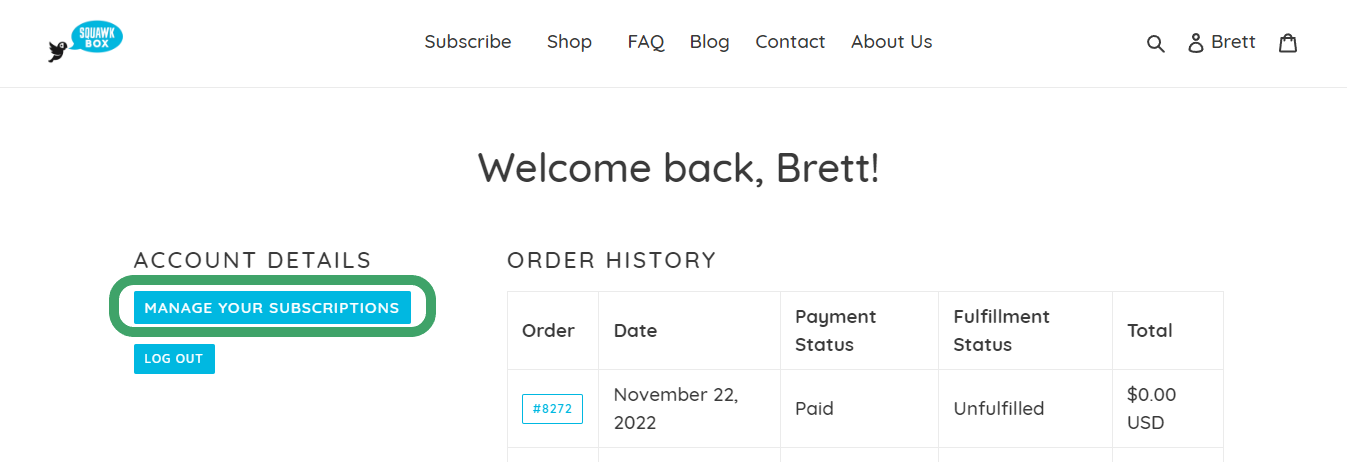
2. Click on the "Manage Subscriptions" button
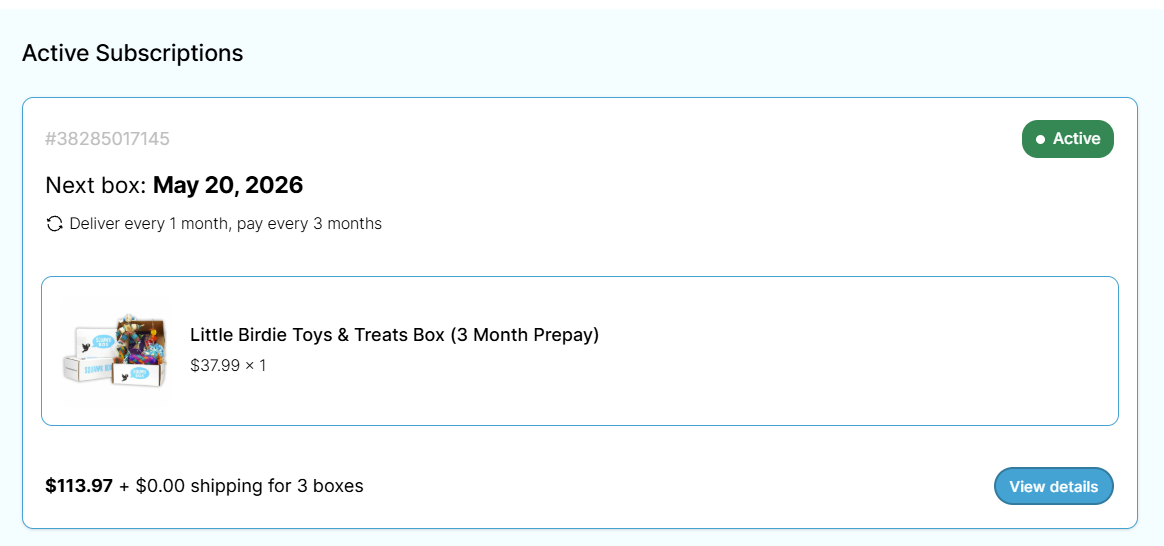
3. Click on your Subscription
4. Scroll down to payment details
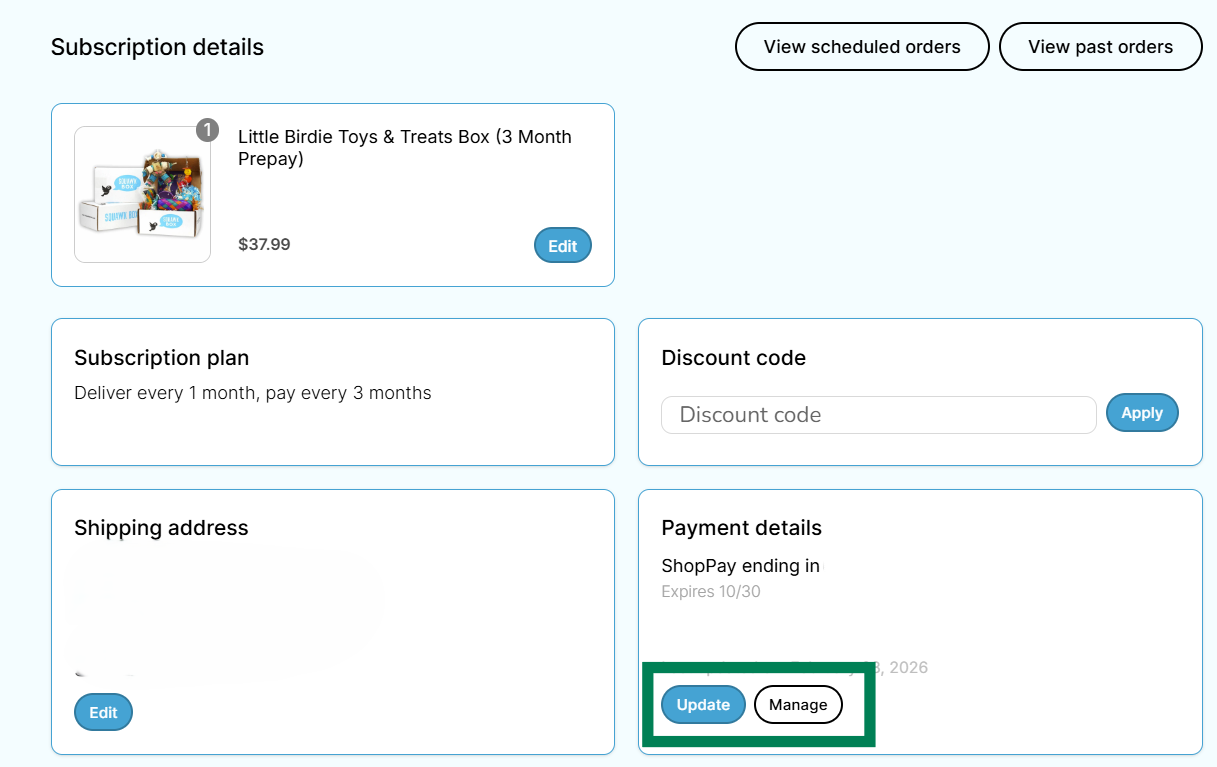
- If you need to add a new payment method, select "Manage"
- If you need to update your payment method, select "Update"